1System roles
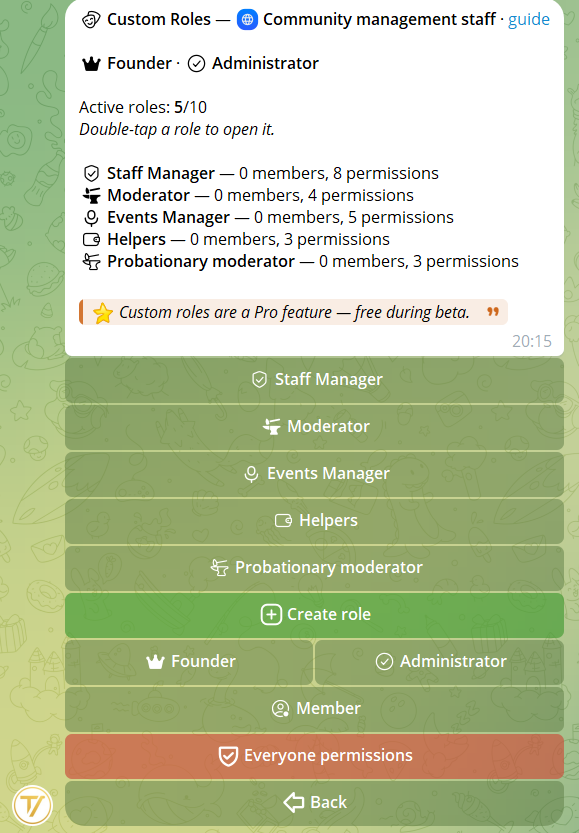
Every community has 3 base roles that cannot be deleted:
Founder (community founder) — Everything. The community owner. Can delete the community and transfer ownership.
Admin — Everything except managing other admins. Full access to management, proposals, tasks, broadcasts.
Member — Only the base permissions chosen as Everyone (see below), plus permissions from any assigned custom roles.
2Everyone permissions
Everyone permissions are the ones that all community members have by default, with no specific role needed. They are chosen during community creation and can be edited at any time from the community main menu → Roles → Everyone.
Practical example: if you enable "Vote on proposals" in Everyone, all community members can vote. If you disable it, only those with a custom role granting that permission, or Admins and the Founder, can vote.
This lets you control precisely what a regular member can do versus what requires a specific role.
3Custom roles
You can create up to 20 custom roles per community. Each role has:
- A name (max 50 chars)
- A standard or premium Telegram emoji
- A set of permissions you choose
To create a role: from the community main menu → Roles → Create role → set name and emoji → configure permissions.
To assign a role to a member: open the role detail → Members → Add → select members.
You can also reorder them: you decide the order they appear in across the lists.
4List of 11 permissions
- Manage members — Member list, add, remove, ban
- Vote on proposals — Vote yes/no in groups
- Create proposals — Create and submit proposals
- Manage proposals — Start/end votes, see all proposals, re-vote, manage agenda, vote summary
- Create tasks — Create tasks and work on them (claim, complete, add notes)
- Manage tasks — Manage all tasks (assign, delete, board, dashboard, settings)
- Manage settings — Edit community settings (name, invite link, language)
- Manage groups — Link/unlink groups, enable proposals/tasks per group
- Broadcast — Send announcements to all members
- Data export — Export proposals and tasks to PDF/ZIP
- Manage events — Create and manage events, calendar, sign-ups and attendance
5Customize the system roles
From the Roles menu you can customize the appearance of all three system roles — Founder, Admin and Member:
- Change the display name (e.g. "President" instead of "Founder", "Treasurer" instead of "Admin", "Affiliate" instead of "Member")
- Change the emoji (e.g. a premium emoji 🎓 instead of the crown 👑, or 🤝 instead of the default Member)
- Restore the default values at any time
Useful for associations, parties and councils with formal role titles. The Italian ready-made templates already have these customizations configured (see "Italian Templates").
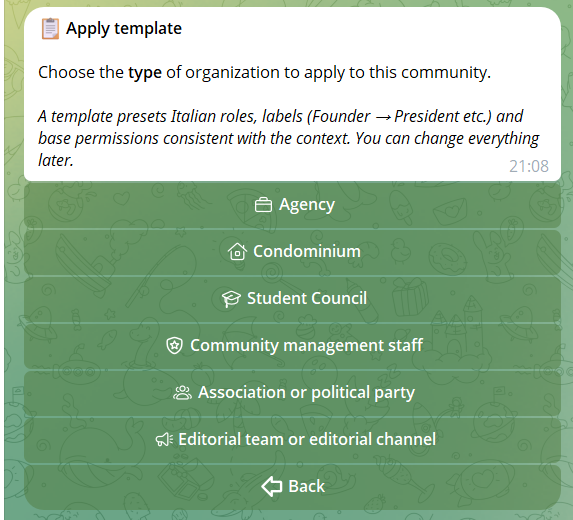
6Apply a template to an existing community
Beyond the initial choice at creation, you can apply a template (or a different one) to an existing community at any time. Only the Founder can do this, from Management → Apply template.
What the template sets:
- Roles from the template (e.g. President, Treasurer, Member…)
- Apex labels (e.g. Founder → President, Admin → Board)
- Base permissions for all members (Everyone) — only in Replace mode
When applying the template, choose one of two modes:
🗑 Replace — Deletes all current custom roles (assigned members go back to the base Member role), creates the template's roles, and sets the Everyone permissions consistent with the context. Best if you want a fresh, clean structure.
➕ Add — Keeps your current roles and adds the template's, skipping duplicates and respecting the 20 custom-role cap. Everyone permissions remain unchanged. Best if you already have some roles you like and just want to enrich the structure.
Practical tip: useful if you created the community with "Customize everything" and now want to adopt a sector-specific structure, or if the community's nature has shifted (e.g. from informal group to structured party).